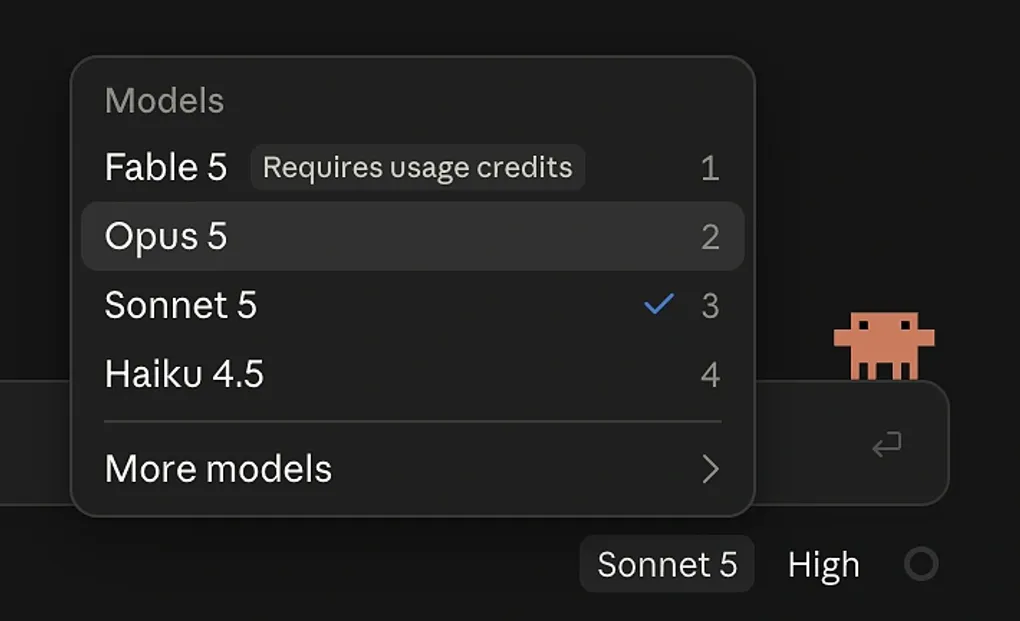
The Smart Model Dilemma
Chasing a dev idea down the rabbit hole means I get so absorbed in building it that I never find time to share it 😅.
Lately my funny (?) AI-related struggle has been this dilemma over smart models.
The Cleaning Roster, and Three Days With Opus
I built a management system around a cleaning roster, and the conditions were so gnarly that the real task was figuring out how to implement it as simply as possible.
So I brought in the best model I have access to, Opus 5, walked it through my train of thought, and it laid out every issue I’d need to solve, one by one, fluently and confidently. How could I say no?
I spent three whole days just trying to follow this academic lecture 😓. To be precise, over those three days I worked through it hands-on, bumping into things along the way, and finished implementing the architecture it proposed.
But once I actually understood it, I hated the overhead of having to accommodate this much architecture in my system just to implement a single request to an AI API.
So I spent another three days stripping out everything I didn’t need. In the end I burned a huge amount of tokens generating the code, and just as many tokens erasing it again (and worst of all, my precious time!!).
Even after all that, my model of choice stayed Opus more often than not. If I’ve got the budget, why would I bother with Sonnet?
But…
For a whole week, I failed to tame this wild horse, Opus. With every single prompt, I begged it to please explain things simply.
No, sometimes I flat out told it to stop showing off and explaining things like some know-it-all. Didn’t matter. It’s complicated regardless. It digs deep into the problem regardless.
Is This Really What I Wanted?
Complicated problems exist in the world, sure. But whether they need a complicated architecture is a separate question.
I’m a simple person. If I write messy code, I can always come back and clean it up later, but architecture doesn’t work that way. Once you shove a complicated structure in at the architecture level, everything built on top of it inherits that complexity.
To be specific, the feature was: send an API call to AI from the .NET backend, and have the user confirm the result. But it needed to accommodate all sorts of technical machinery.
How to recover if the server fails, how to persist state in the DB, how to auto-trigger an event on completion.. and so on. In short, it was trying to build a feature that magically handled everything for you with one click.
(Put another way, in trying to handle everything automatically, it turned into a system where the user has no idea what’s actually happening right now.)
But I belong to the worse-is-better camp. I prefer implementations where the internals stay transparent, because the user needs a clear signal of what’s happening right now.
So I decided to handle the async part with a hook on the frontend instead. (Yes, it disappears on refresh.) But this way, the backend stays dead simple, sticking to the existing synchronous REST API, and more importantly, I can clearly explain to the user exactly how it works.
Going forward, I’m leaning toward implementing this kind of async handling on the frontend whenever possible, so I can build fast and iterate.
On the left, Opus’s proposal: backend orchestration that quietly handles everything behind the user’s back. On the right, what I actually went with: transparent, synchronous handling built on a frontend hook. Worse is better.
So whenever I review the code, whatever the issue turns out to be, I want to be able to quickly diagnose it and grasp what’s going on myself when I need to.
In short, that means doing architecture design with Sonnet. Debugging, though, I still do with Opus (this wild horse has insane deductive powers when it’s off exploring edge cases. It’s honestly a little scary 😬).
In short, at least when it comes to system design, I’ve started deliberately picking a slightly dumber model. By the way, if this idea sounds interesting to you, I highly recommend the video below, which explains how deliberately throwing away “smart” features led to a jet system with zero failures :)
So What Did I Actually Ship?
Let me walk through some of the features I’ve been working on :)
1. The Cleaning Roster Feature
 It’s split into two layers: who’s rostered on for cleaning that week, and who actually did the cleaning, tracked per house, per week. Even if tenants swap roster days between themselves, it shows up naturally in the table :)
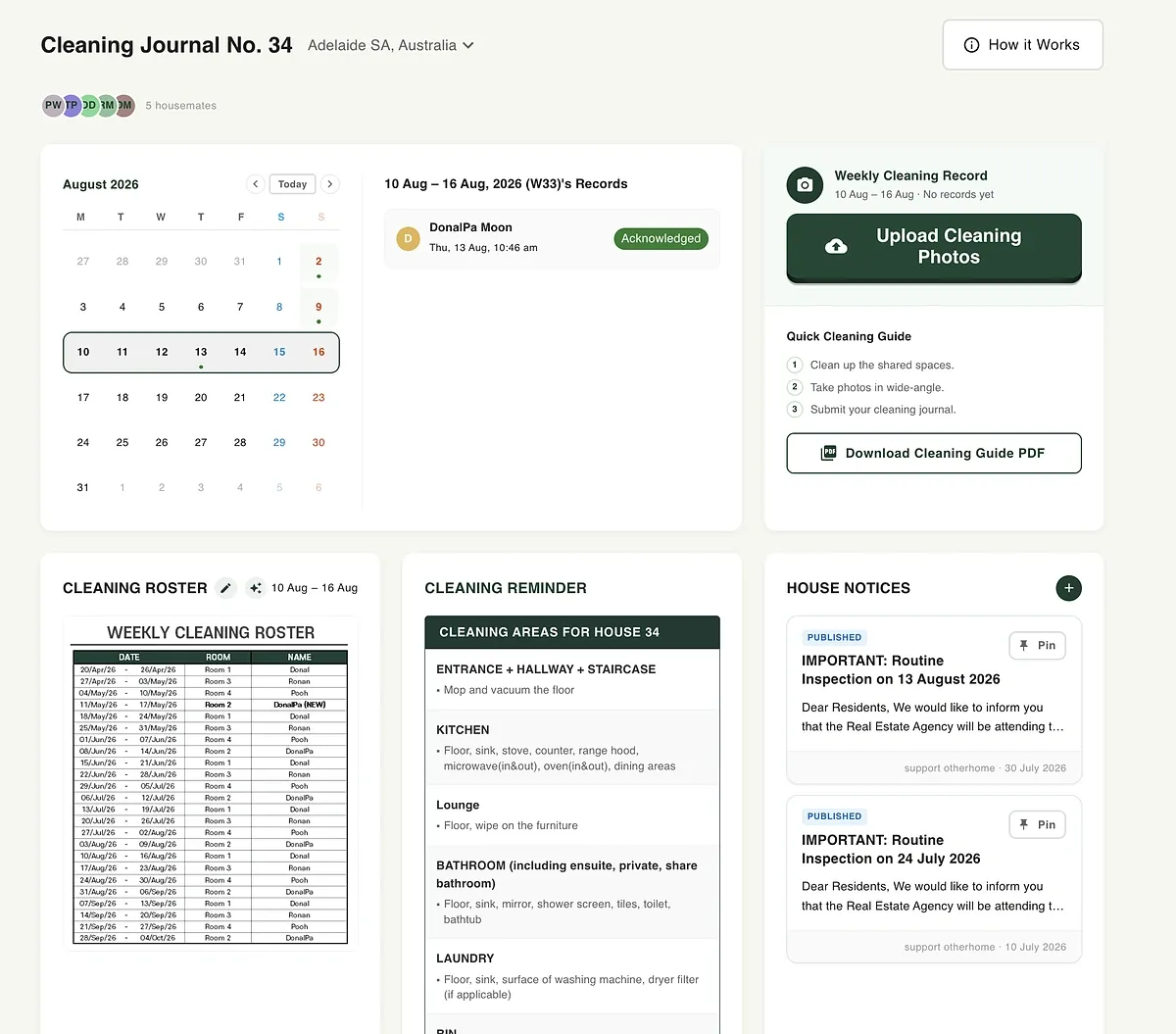 Here’s what tenants see on their end. That week’s roster, the cleaning guide, and photo upload all live on one page.
2. Auto-Reading the Cleaning Roster
Right now the cleaning roster is image-based. The original looks like this table.
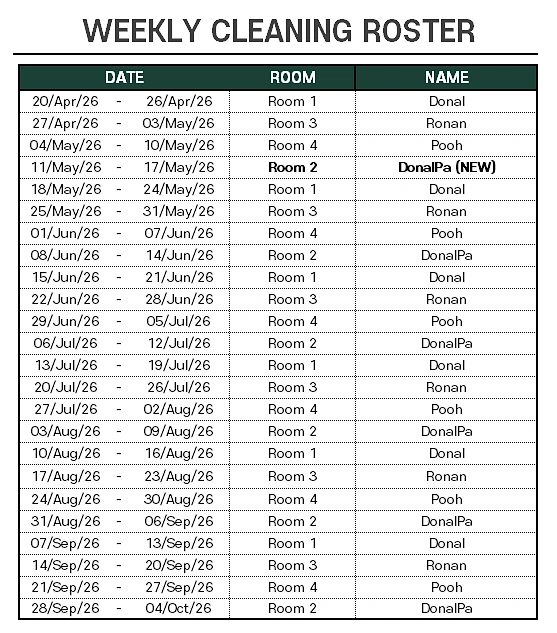
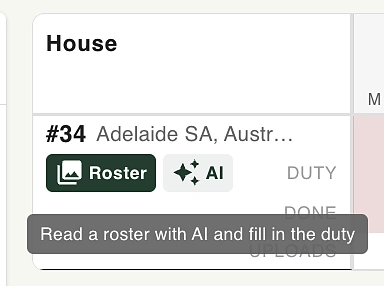
Hit this one button and it reads everything straight into the cells automatically. It’s an image-parsing → structured-data strategy, and that’s exactly the kind of thing LLMs are great at.
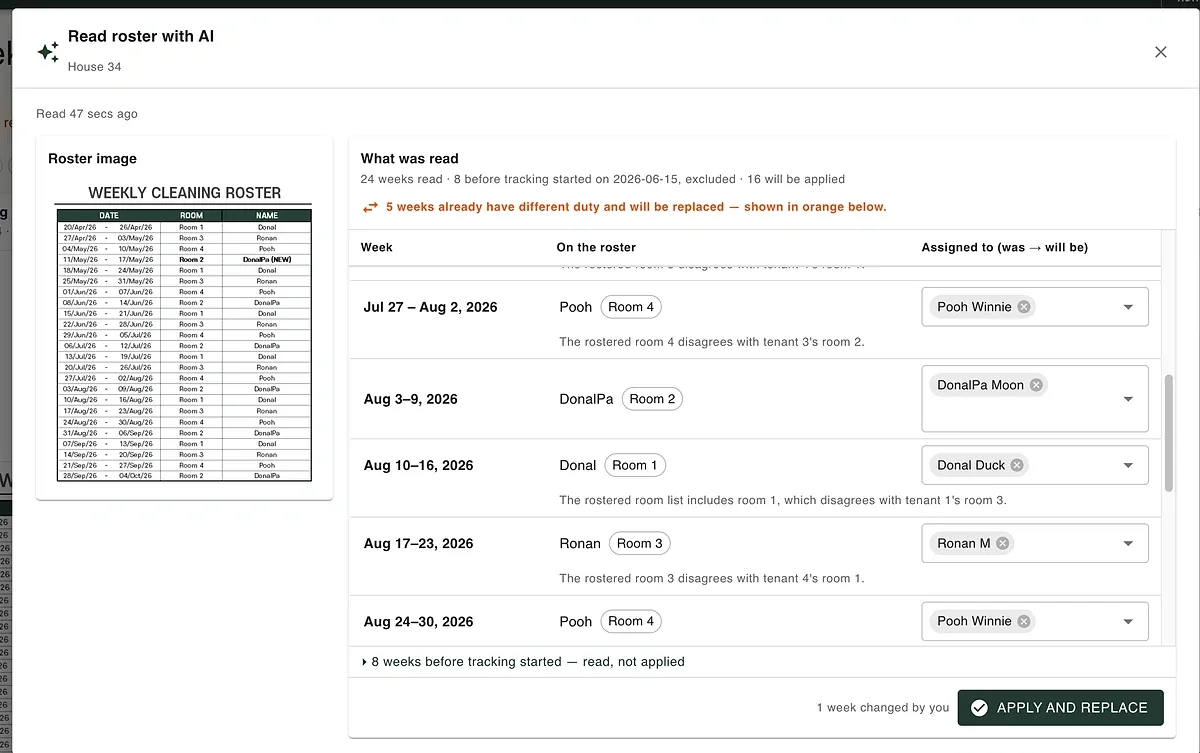
3. Who Didn’t Clean?
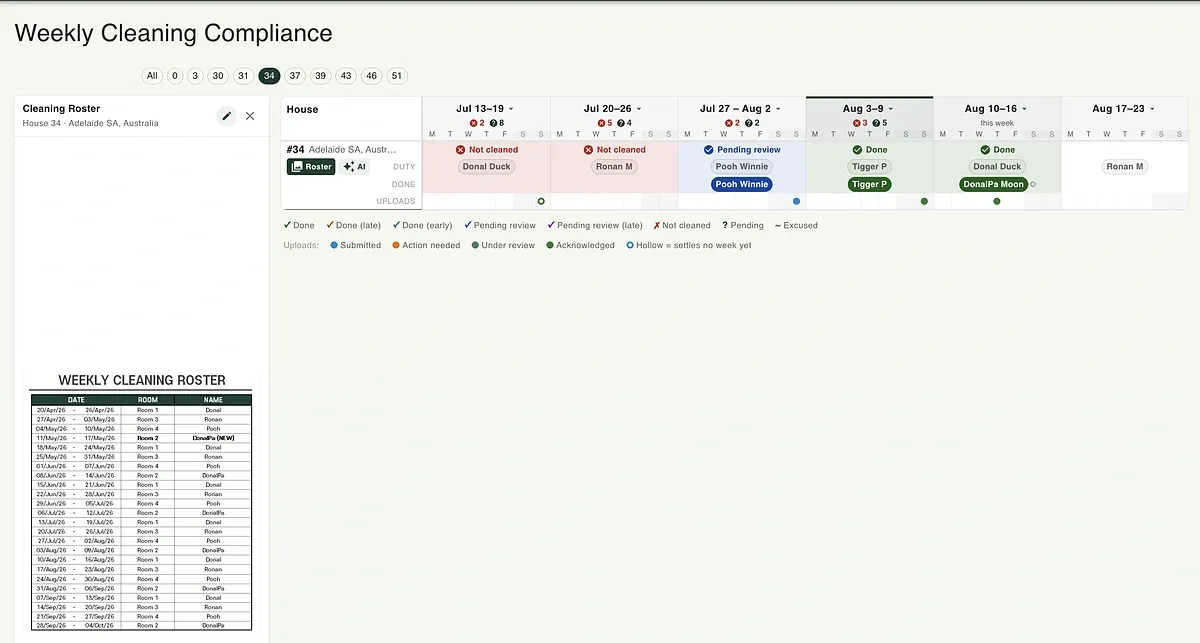 From the admin’s side, everyone who skipped cleaning shows up flagged, week by week, all in one view :) You can also pull an email list.
4. Inline Notes (Control + .)
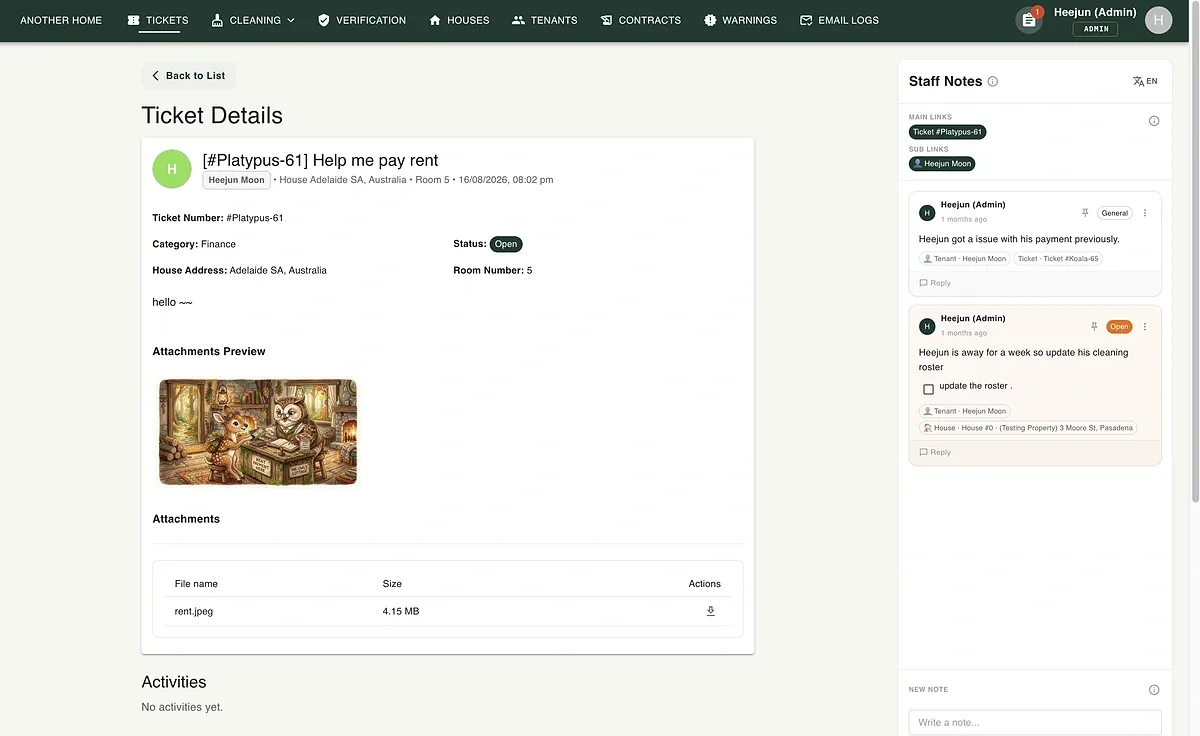 I also built internal notes, so any admin user can hit Control + . and instantly check comments tied to whatever data is currently in their working area. It’s a very flexible setup: you can pull up any related notes fast via nodes (as a developer, I had a lot of fun building the storage for these dynamic links), but from the user’s perspective, having to manage notes yourself seems to be overhead. So for now, further feature work on it is on hold.
I’m thinking of eventually building an AI assistant into this area, but I’m setting that aside for now. It’s probably because it’s not the kind of feature that magically just works on its own.
And I’ll keep posting small features as I build them out :)